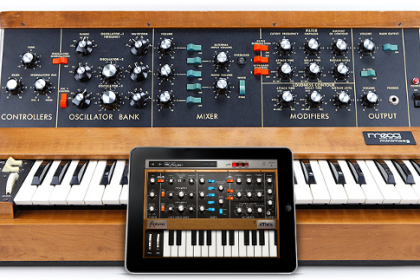
The figure of the DJ has a catchment area with an ever-increasing number of followers. Proof of this is the growing interest that technology (in its various manifestations such as video games, mobile phones or tablets) dedicates to this sector.
As I have already had the opportunity to express in other reviews, many software and App developers have sensed the need for musicians and DJs to use devices such as iPhone and iPad as work tools as well as for fun and entertainment.
Avoiding going further, we will now talk about an application developed in Italy, within the headquarters of theIK Multimedia, a company that for some time has decided to focus on the development of applications and accessories mainly dedicated to home products Apple .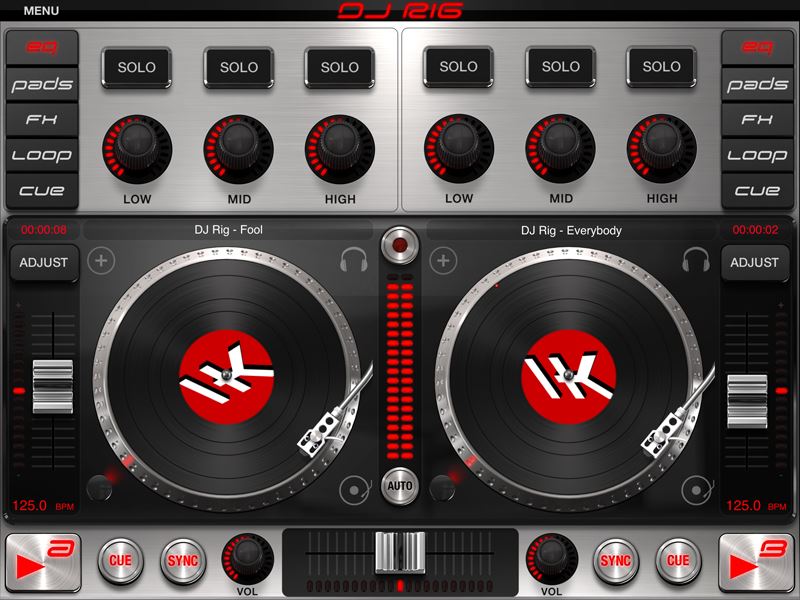
The software we will talk about is DJ RIG (tested on an iPad with version of the 1.0.0 firmware). The intuitiveness of this application allows an immediate use both to users with good familiarity with DJ consoles and to those who have never used it.
The Software
After downloading the app from the AppStore, you need to enter the Main Menu in order to create a personal account with Ik Multimedia and register the product and enable all functions.
An aspect that captures the attention from the first moment is certainly a very well-finished graphic aspect: the controller is very well structured and is divided, in a very classic way, into two Deck A e B.
In the upper portion of the application we can find the necessary to make the live performance interesting and original: at the right and left ends we can find the functions EQ/PADS/FX/LOOP/CUE. Tapping on the keys of the single deck will progressively activate the advanced function. The function EQ it consists of the classic LOW, MID & HIGH on which we find some gain controls for the single frequencies and the possibility to choose the mode in solo or in multiselection. The function PADS activates nine pads that will occupy the entire surface of the deck. The pads are completely and individually configurable and are divided into four BANKS, for a total of 32 adjustable pads for both volume and pitch. On each of the individual Pads there is also the possibility to record external sources such as microphones, instruments, etc.
It should be noted that Dj Rig has its own libraries containing good quality samples.
The function FX activates a sort of pad which, through horizontal and vertical movements on the surface, allows you to change the values of the selected effects in real time. Among the main effects we find:
• low pass;
• band pass;
• highpass;
• delay;
• phazer;
• reverb.
The application offers many other effects, and still others can be purchased on the store at not very high prices.
The function of LOOP offers the possibility of repeating a part of the song by simply tapping on measures 1/4, 1/8, 1/16 etc. or by choosing a defined length (“in” and “out”).
Through the function CUE it is possible to establish gods Colored marker points and recall favorite positions of portions within a song.
As already expressed, the app is also very pleasant from an aesthetic point of view: for the two decks it is possible to choose a representation of two vinyls (interchangeable with a CD deck) or a representation of the wave of the song we are playing.
An icon with the "+" sign allows you to load songs from our library, whose title will be displayed in the upper upper portion. Through a single tap on the title of the bramo, its wave will be displayed with a red cursor that will indicate the playback point.
Among the classic functions of a DJ console we can find:
• Pitch, for adjusting the pitch;
• ADJUST, which allows you to adjust the BPM and to manually set the selection;
• CAR which activates the automix function;
• REC which allows you to record the mix and listen to it again;
• Cross faders central;
• PLAY A / B;
• CUE;
• SYNC;
• GAIN for individual channels.
The Setting
This app offers a very wide configuration menu, offering the possibility to make the performances very customizable. Among the main settings that can be made we find the input and output level, the crossfader curve, the range in percentage of the BPM fader, the TAP correct BPM, an auto level for songs of different volume. The function should also be mentioned X sync which allows you to synchronize songs from external sources. Another strong point of this application is the possibility of using a tablet mixer, iRig Mixer, an accessory made by IK Multimedia, and sold separately.
iRig Mix
 In addition to the baby mixer, in the iRig Mix package, we find its power supply that supplies power through the Mini / USB port; two 3,5mm mini jack audio cables for connection with iPhone, iPod and iPad; an RCA audio cable for connection to an amplifier or Active Speakers.
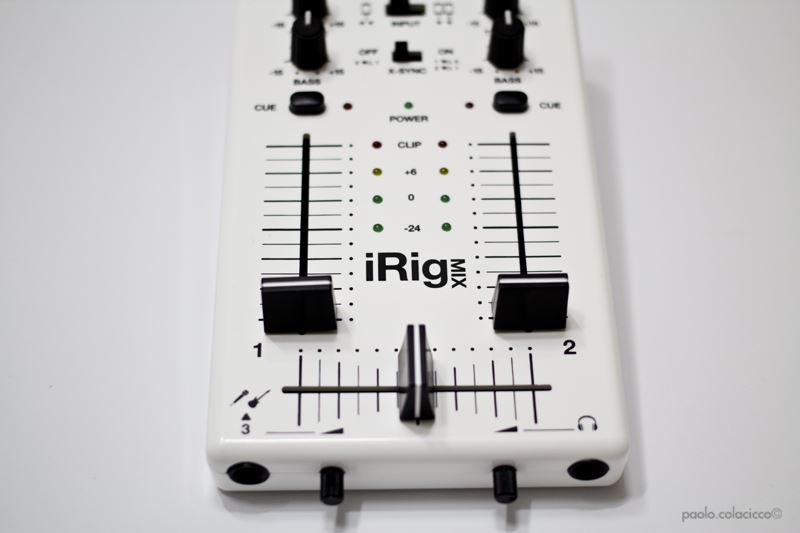
The mixer is made of shiny plastic, aesthetically pleasing, and well designed. Is composed by:
• two Faders and therefore two channels;
• a Crossfader;
• three Knobs per channel that adjusts GAIN, TREBLE, and BASS;
• a Master positioned in the upper portion and equipped with two INPUT switches to indicate the connected sources (thus working with only one peripheral, or with two peripherals and the X-SYNC active you have the possibility to automatically synchronize two separate devices);
• Leds between the two faders, which indicate the overall output level of the mixer audio;
• CUE keys positioned above the faders, which allow pre-listening of the preset track via headphones.
In the rear part of the iRig Mix, in addition to the POWER switch, we find two inputs / outputs dedicated to both iOS devices and CDs, and two RCA L / Rs to connect the mixer to an amplifier. On the front we find a ¼ jack input, for microphone or instruments such as guitars, and a ¼ jack output, for DJ headphones. Both have a mini knob for adjusting the volume.
Considerations
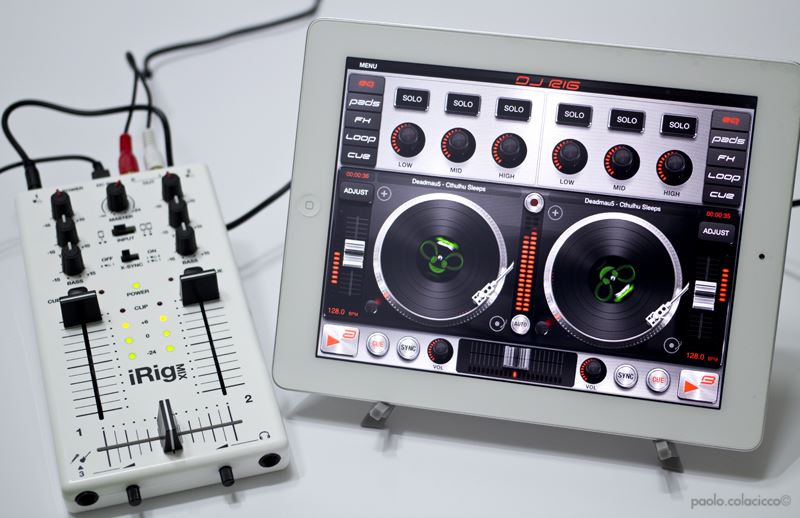 DJ RIG software is definitely a very good app. Compared to those tried in the past, it is extremely complete and in continuous expansion. I tested the application with a single device, an iPad without iRrig mix, and despite this the results were very satisfactory. It should be remembered that using only one peripheral, the console splits into two (deck A on the left channel, deck B on the right channel). Performance is improved by using two iPads (or alternatively an iPhone and an iPad), because the sound improves and the tracks run at full capacity on both channels.
The X-SYNC system is certainly functional, but in my opinion it can be further improved: in extreme situations, momentarily, it is not able to beat the tracks forcing the user to do it manually. The latter could become frustrating for those who are new to using the software. For the rest, both the effects and the controls are of excellent quality, the tap, for example, is immediate and without any type of latency.
The iRig MIX Mixer completes this splendid App, and makes a good impression. It is well designed, and endowed with a medium-high level quality despite having been made of plastic. Probably the cross fader should be treated with a certain degree of delicacy, during the scratches it could in fact abandon you.
Addressing the latter aspect, I must emphasize that the tests carried out did not fully convince me: virtual vinyls tend to start with a minimum of latency so before being able to create discrete cuts, it is necessary to enter at the right times and be equipped with very calm. A little bit of training is widely recommended.
Now the word is up to you, music !!!
Dj rig
Pro:
- Good price
- Accurate in the checks
- Good Graphics
- Intuitive
Against:
- You must have an Apple Ipad / Iphone
- X-Sync Improved
USEFUL INFORMATION:
Producer: IK Multimedia
Model: Dj rig
Website:www.ikmultimedia.com
Price:17,99 €
iRig MIX
Pro:
- Compact
- Fair quality
- Easily connectable
- Cables supplied
- Manual in Italian
Against:
- Fairly delicate
USEFUL INFORMATION:
Producer: IK Multimedia
Model: iRig MIX
Website:www.ikmultimedia.com
Price: 74,99 €