Softube certainly doesn't need an introduction from me, being one of the most well-known and respected plug-in developers in the world. Personally, their releases for the UAD suite are a fixture in my Universal Audio virtual shopping cart.
However, I am going to talk about an extremely innovative product, whose incredible potential is not easy to perceive until you work on it. Softube's conceptual work (because that's what it is, pure creative intuition) focuses on our mixing "workflow" "in the box“, Providing us with an incredibly sharp tool that allows us, with an indescribable naturalness, to lift our hand from the mouse and let ourselves go to direct interaction with a“ physical ”mix.
IN THE BOX
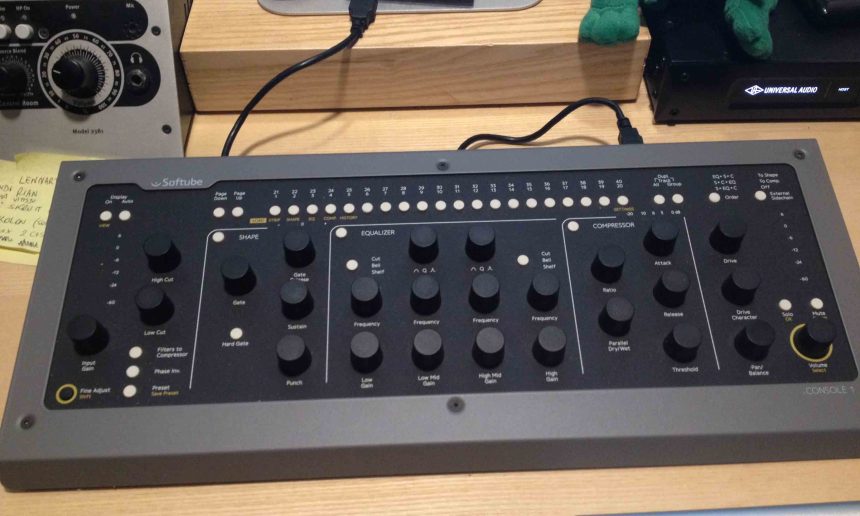
Open the box, we are faced with a controller of an impressive bill. Entirely in metal, "encoders" that have a natural and pleasant "feel". The arrangement of the control elements is designed with great ergonomics; we will return abundantly to this part of the product later (Fig. 2).

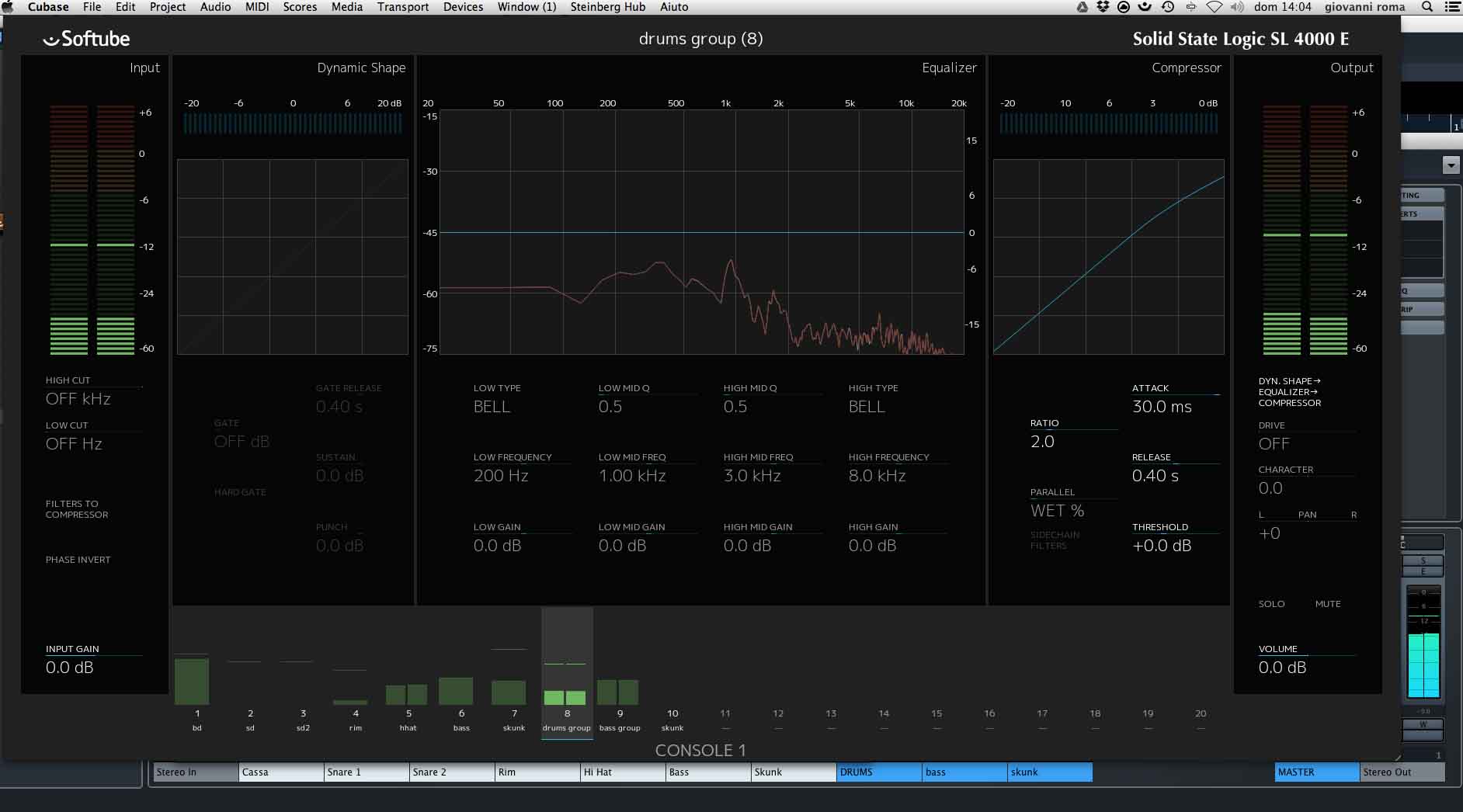
The console software section 1 consists of a plug-in control interface that stands between us and the DAW in use and a suite of plug-ins that emulate the channel strip of a bench SSL SL4000E: filter section, expander / gate, equalizer and compressor modeled directly from the deck in question, with the addition of a transient shaping and a check of overdrive (Fig.3). There is the possibility to separately purchase an additional suite of plug-ins modeled on the XL9000K console.
SETUP AND USE
The installation involves the set up of the ilok license manager (but does not require the dongle), Softube's plug-ins and controller interface are installed later. All software are downloadable from their respective sites and require no more than 5 minutes of intuitive work.
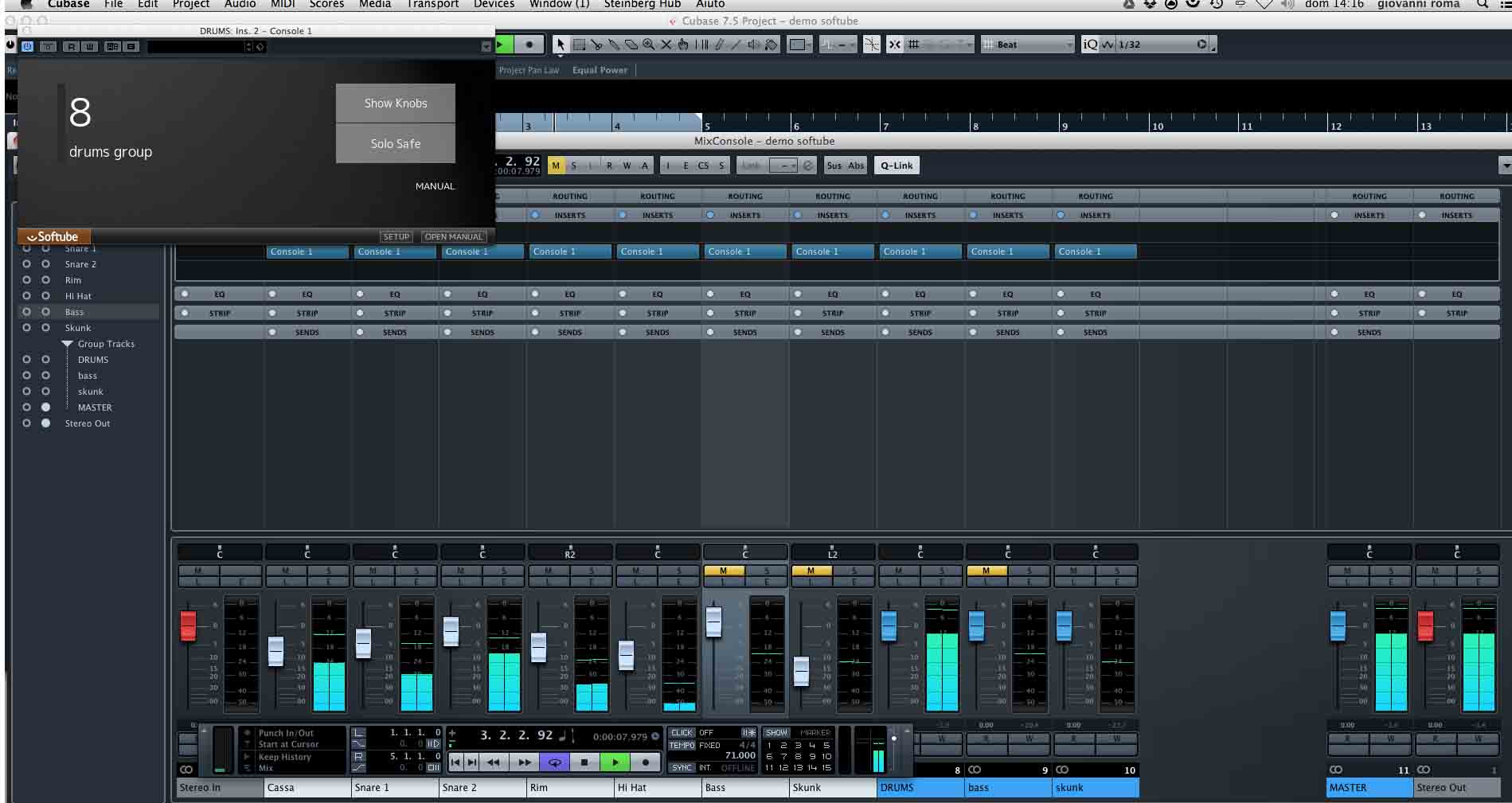
It is necessary for a moment to conceptualize what this softube intuition is that I mentioned in the title. The workflow of these plug-ins is based on inserting a “ghost plug in” on all the tracks we want to use from the controller. For example, I have a mix of a Hip Hop song that consists of 45 tracks that converge into 8 groups, I just need to select them all by inserting the plug in "console 1" so that they are displayed in the controller interface with their names ( Fig. 4).
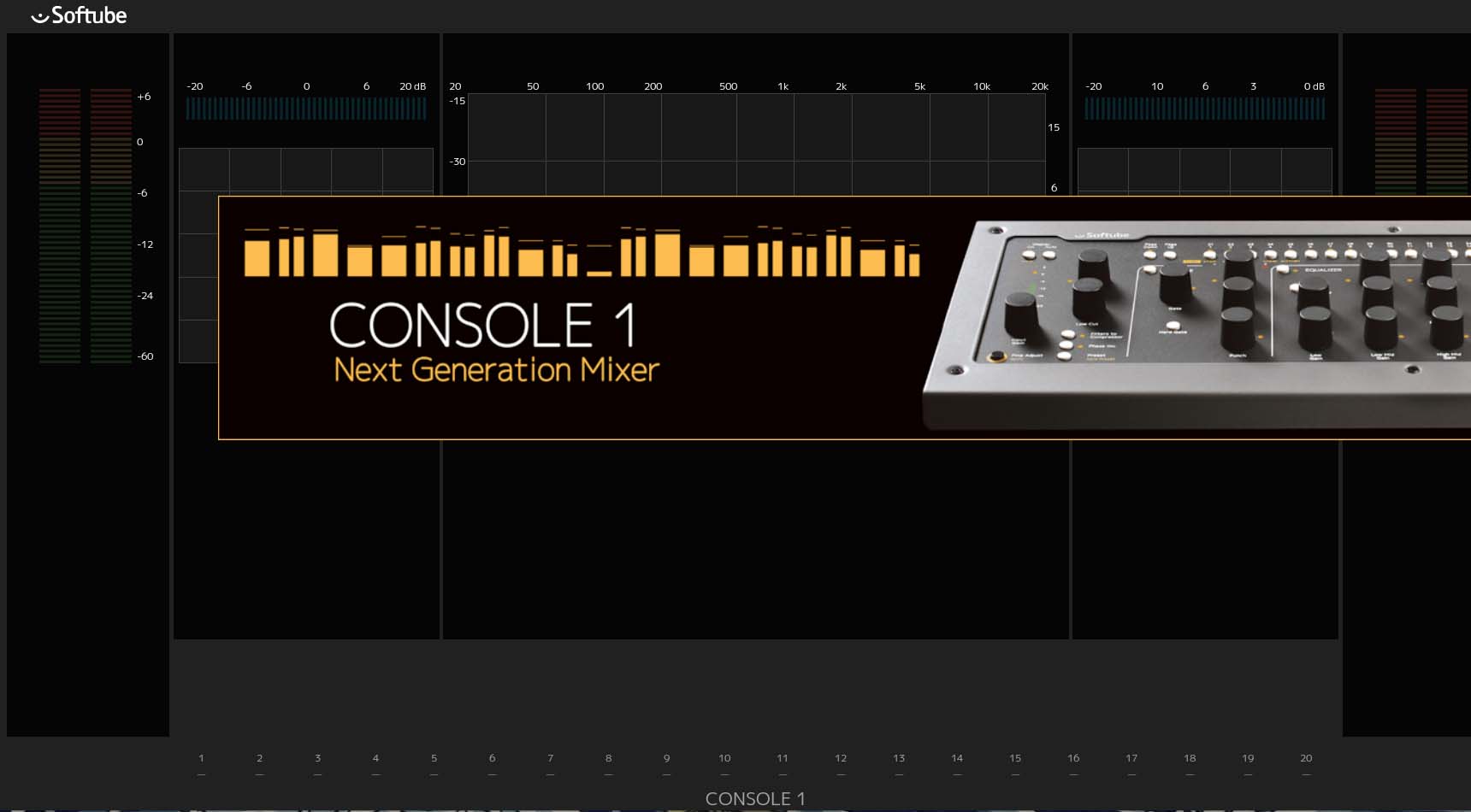
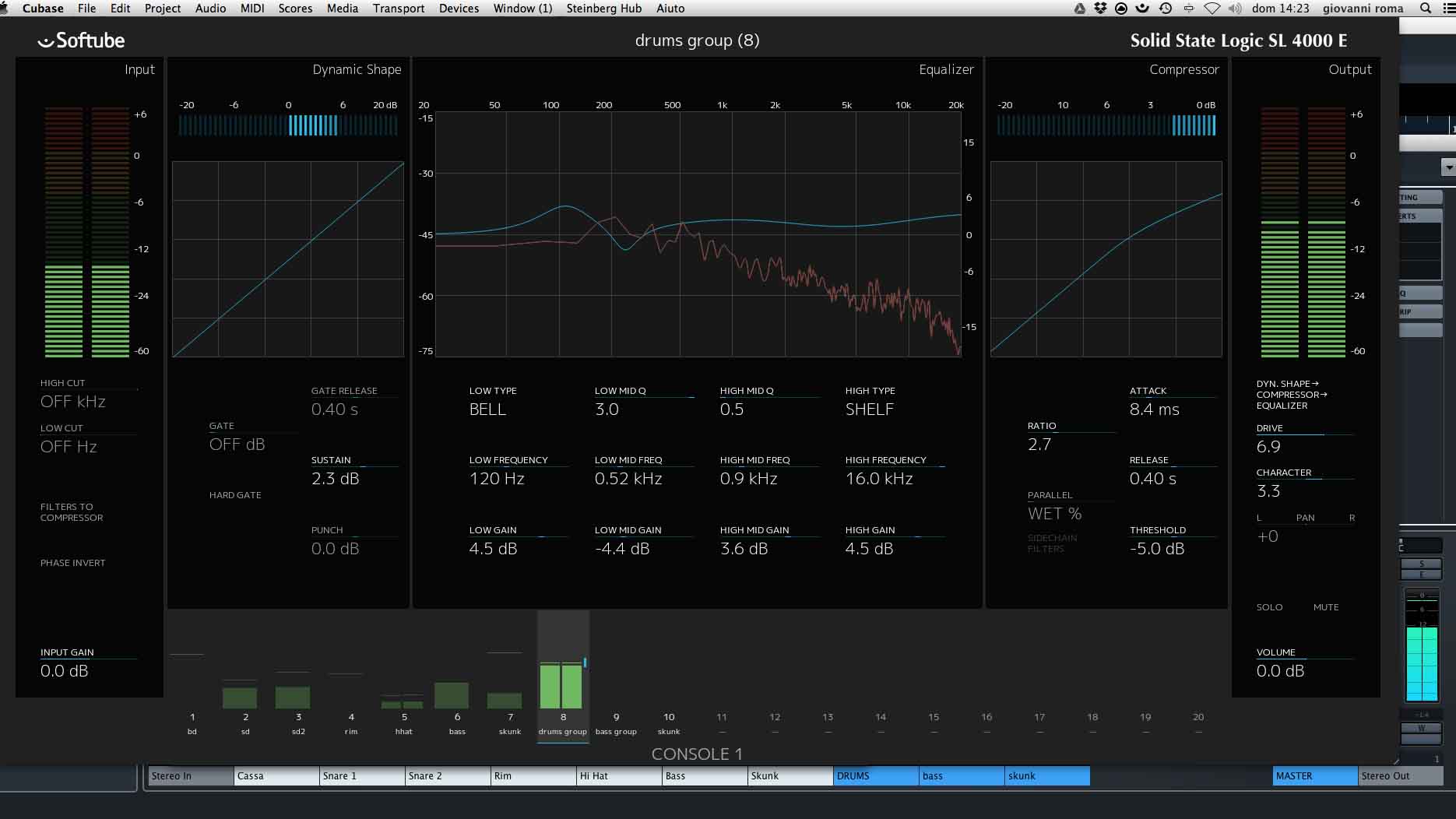
At this point I am able to start mixing the song by looking only and exclusively the controller interface, which allows me not only to view, with a fluid and pleasant graphics, all the devices that exist in the channel (together with a very useful spectrum FFT monitor (Fig. 5) but also to jump from one track to another using a dedicated keypad for selecting tracks in banks of 20.

CONSIDERATIONS
Here, once the key points that a review must talk about have been fixed, I can freely express the idea I have made of Console 1 and this atypical introduction is very adequate for a product that transcends everything I have dealt with. so far in 15 years of work on DAWs.
Working on console 1 creates a "stream of consciousness" that I have never encountered in any other remote control system. The creative "trance" that is triggered after just the first 30 minutes of working on this piece of metal is indescribable.
There is no gesture that comes between listening, thinking and action. The visual correspondence between the plug in and the controller makes any reaction to listening instantaneous. Track selection by bank takes just a few minutes to master in real time. I listen to a resonance problem on the bass of a voice, after a while I'm on the filter and I'm correcting it; I listen to a sustain problem of a bass drum, it is solved after a few thousandths of a second.
Il monitoring of all the gain reduction of the project is simultaneous from the preview to the foot of the mixer. The presence of the gain + saturation pan fader control gives a real analog feel to everything we're doing. the recording of the more complex automations is of a disarming naturalness. I noticed that there are a couple of functional discrepancies between an SSL physical equalizer and an emulated one, so if you are used to using the eye bank that by default the external Eq bands are assigned to BELL.
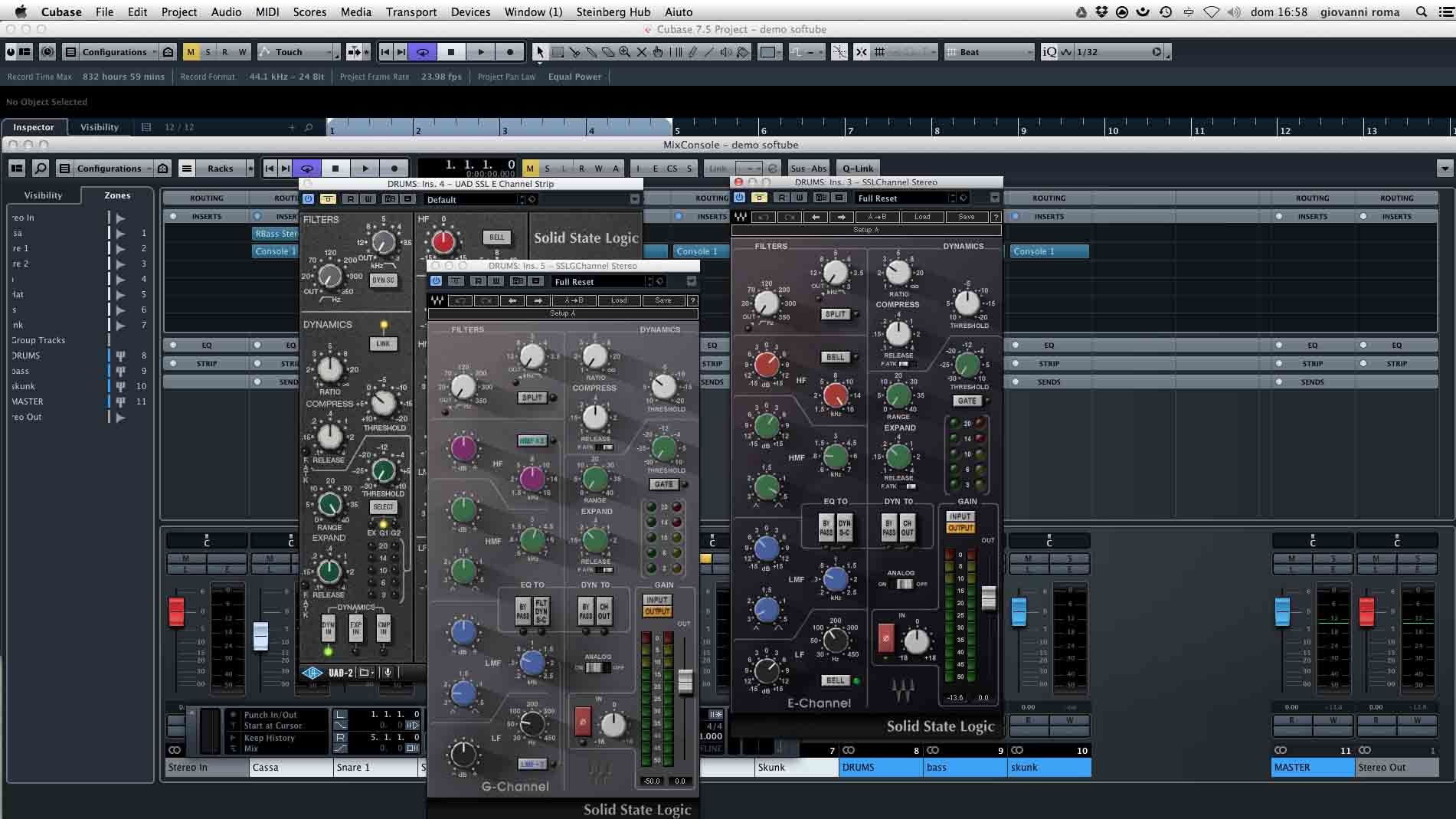
I packaged a series of processing of a drum group, across a strip SSL Waves, a uad, a physical one assembled on a bench SSL XL-DESK, and one through the Softube that I attach to this article; the result to the listening compared both with the software and with the hardware is really satisfactory. But let's get to what I consider the real strength of this innovative product: our workflow, which often, from small details and small innovations of the DAW, benefits from equally small leaps forward in fluidity and speed, with this tool receives a boost. incalculable, solid, indisputable. This is because the controller and its corresponding software create an extremely limited area of attention that allows us to focus our senses to the maximum of our potential.
Talking about “trance” in the workflow is by no means an exaggeration. I happened to open "virgin" sessions with clients and find myself "sculpting" the sound of the track after a few moments from the opening of the project, without any slowdowns such as track selection between listening and interaction. , the search for the plug in in the drop-down menus, the scrolling of the mouse to search for the sensitive parameter, the switching on of the fft monitor and anything else you can think of. The sound sculpting receives a boost from the first roughing instant of the redundant signals to the thinnest cut and harmonic coloring.
Particularly noteworthy is the negligible load of console 1 on the CPU: with a buffer of 2048, I opened about 50 instances of the strip all operating at least in the compressor and in the equalizer encountering a load of about 35 38% of a processor i7 3.4 GHz with 16 gb of RAM (Fig. 7).
Pros and cons
In favor of this product I believe there are the indisputable quality of the plug-ins, able to rival any emulation; the excellent workmanship of the controller that transmits solidity to the touch and clarity of design to the eyes.
Cons: Console 1 is really difficult to find arguments, wanting to be picky you could have added a fader that would help in the automation phase and a transport button panel, but with an ipad and any remote DAW you don't really miss it.

* I would like to thank Silvio Speranza of "the Art of Noises“, Which is the study for the
what work, for having made available a Solid State Logic XL Desk for the production of the comparative files that you can download from the relative links.
Demo 1 Flat Drums (by Sonakine)
Demo 2 Console 1 - Processed Drums (by Sonakine)
Demo 3 Console 1 - Processed Drums + Drive And Shaper (by Sonakine)
Demo 4 UAD - Processed Drums (by Sonakine)
Demo 5 WAVES SSL - Processed Drums (by Sonakine)
I thank you for the time spent reading, hoping that Console 1 gives a positive boost to your workflow, I will send you back very soon with a new article.
John Rome