We will start in this article from the main product, namely Izotope Ozone 9, which was provided to us in its Standard version (there are also the Element and Advanced versions on the market).
The version we are going to analyze differs from that Advanced primarily due to the absence of individual processors available as separate plugins. Basically you can use everything alone and only within the "mother" version of the program, both in stand-alone and host use through your own reference DAW. Another absence with respect to the Top version is that of the two new processors Master Rebalance e Low End Focus. The latter optimizes the bass range, making it sharper, with few parameters and quickly enough, while the Master Rebalance, on the other hand, offers the possibility of separately processing the vocal, drum and bass gain in a stereo mix. Not available in this Standard Version, is the codec preview function, that is the possibility to choose, without exporting anything, the type of codec with which we would like to export our track after having mastered it. On the other hand, the Tonal Balance plugin, in version 2, is also available with the Standard version.
Ozone 9
Ozone 9 comes with much more style-like graphics Neurons 3 e Nectar 3. In fact, we note that the central panel has been raised to the height of the main display and has the possibility of being enlarged and reduced by means of a "corner-drag" present at the bottom right of the screen. The bypass function is very clean and doesn't add any clicks or other noise whatsoever when it turns off all the plugins in the chain, pairing it with the gain match function which re-balances the level between processed and unprocessed audio. Note, however, that using the bypass function, CPU usage remains virtually identical. Among the various modules previously available in the standard version, the Imager module with the addition of a second mode Stereoizers which sounds much more natural and transparent than the previous one Mode I, which however is still available.

NEW IN THE 9 STANDARD VERSION - THE MASTER ASSISTANT
The Master Assistant among the novelties of this Standard version is the Master Assistant, previously only present in the Advanced version and which in this case, in addition to being also available for the Standard version, adds the Vintage mode which is based on 4 modules available, that is Vintage EQ, Vintage Comp, Vintage Limit e Vintage tape. Among these we absolutely mention the Vintage EQ which is an EQ in style Pultec; Very functional is also the Vintage Limit that I personally use in closing on almost all the projects I make. Returning to the Master Assistant, we note how it has been significantly improved compared to version 8. Obviously it is a tool dedicated to those who want to start approaching a fairly complex platform like Ozone. In fact, Master Assistant does nothing but analyze the sound profile of the audio to be processed and suggests a logical starting point for the signal chain, the processor settings and the volume, as well as controlling the amount of this processing carried out. (low, medium or high) and optimizing dynamics specifically for streaming or CD services. As for the equalization, you can refer to two options or the manual one obtained from the analysis of the track or through the match eq function, another new plugin available in the 9 Standard version.
Match EQ
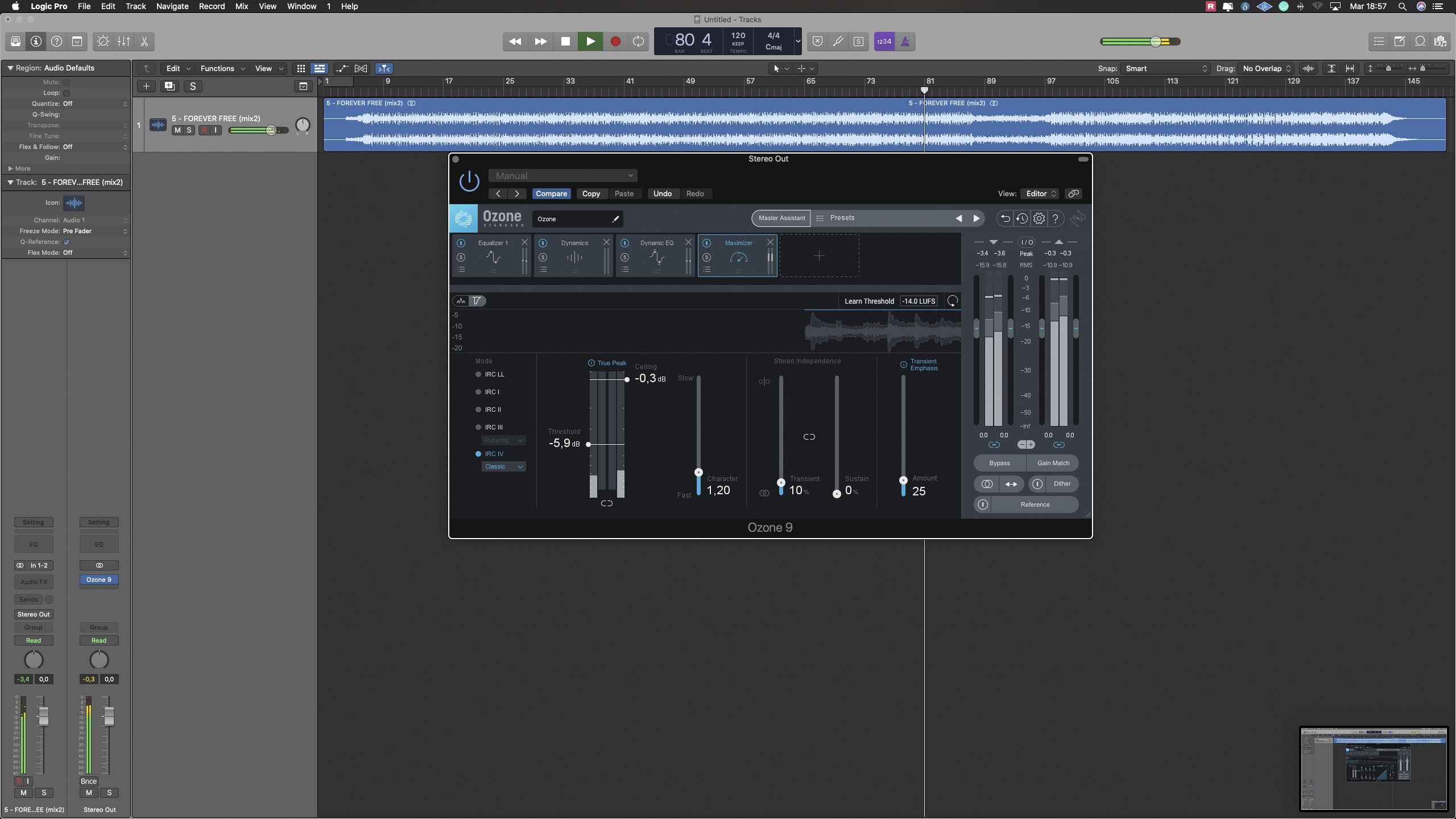
In this new version, in addition to the plugins already present in version 8, we have a completely new version of the Match EQ, already present in other suites for some time, but which makes its entry into Ozone. The principle is quite simple, using the two slots REFERENCES e APPLY TO we have the possibility to capture both the reference audio and the one on which we are going to apply the equalization that will be treated. Via parameters Smoothing e Amount we are going to decide how and how much to apply the resulting eq. The process is easily scalable even for a precise frequency range through two curtains on the left and right of the interface, as well as being able to be managed both in Stereo and in Mid \ Side. Returning therefore to the Master Assistant function, which is the one on which we are going to make some audio examples, let's take a song as a starting point, in this case Forever Free di Andrew Barone. Using the vintage version of the Master Assistant and manual equalization, therefore through track analysis, a precise mastering chain comes out with also various settings, some more questionable than others as you can see from the screenshots (Fig. 1, Fig. 2, Fig. 3).
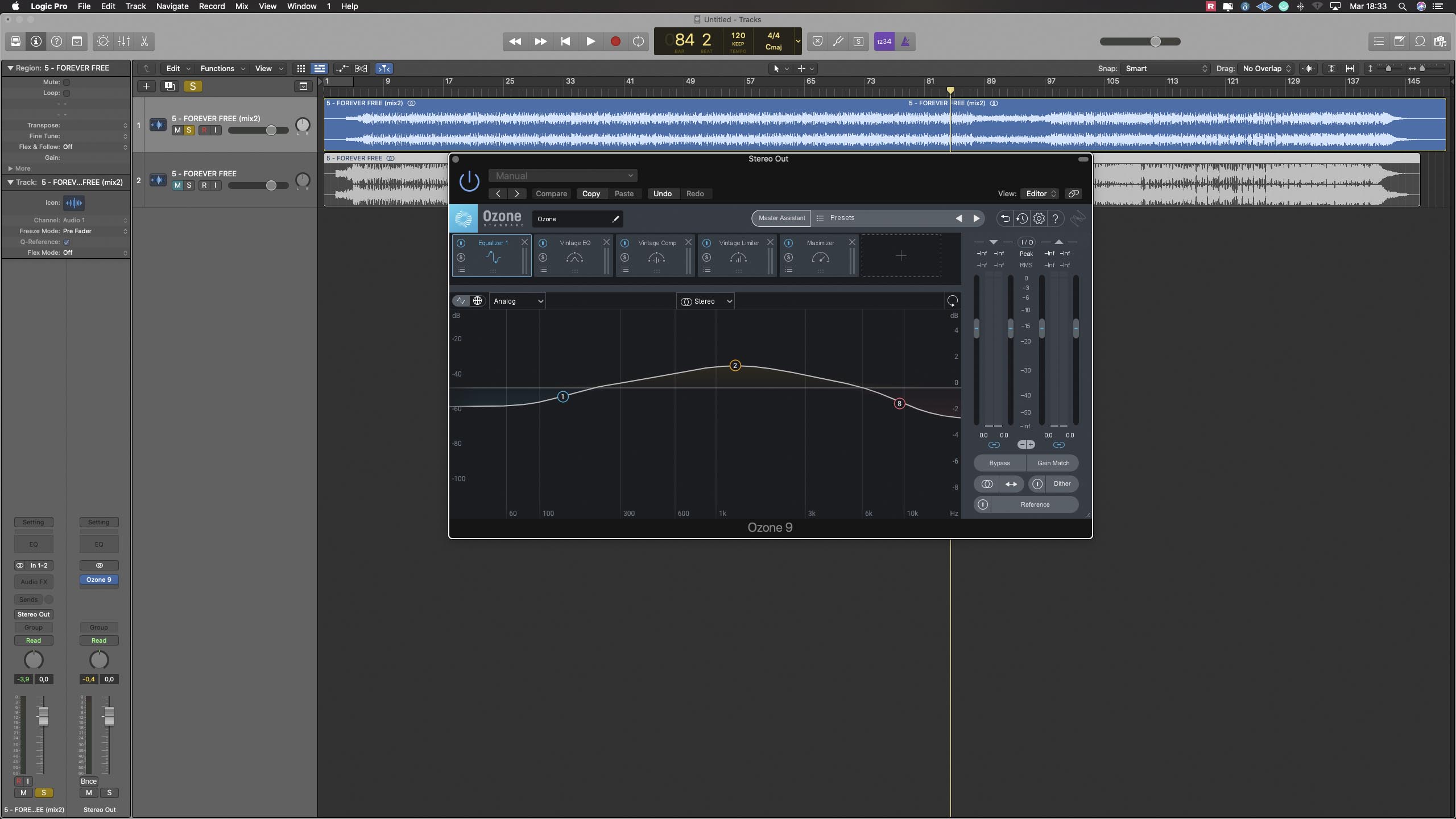
Listening to the song compared to the official version, obviously the difference is enormous and there are equalization curves and compression settings that are perhaps a little excessive, but I must also underline that in general, the starting point on the corrections to be made to the song is more or less the same as it was in the mastering studio.
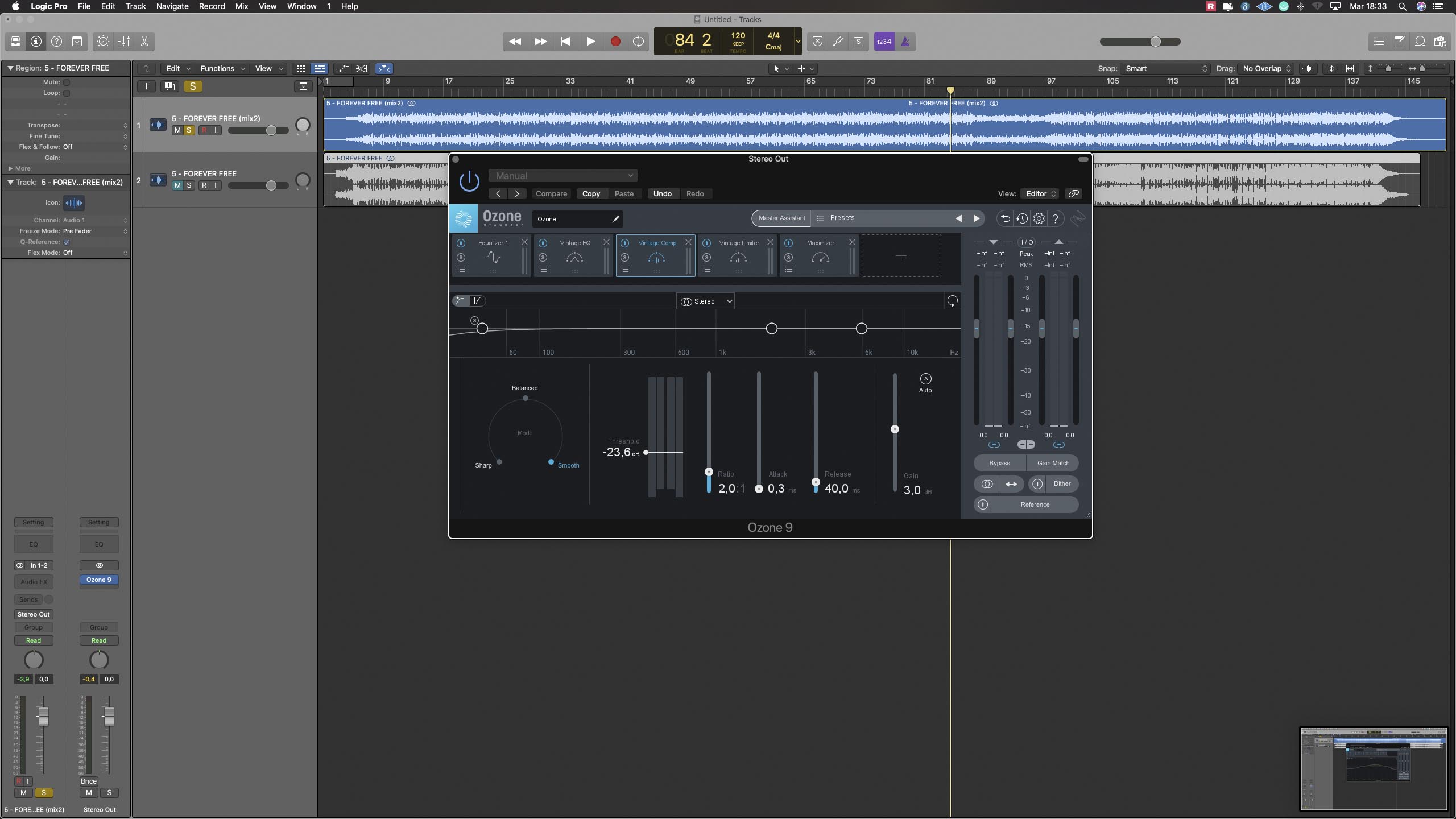
Obviously the final result is profoundly different, but I believe that this function (as well as when we talk about the Presets of the various plugins), should not be used in a poke, just to pull out a mastering and launch the track online, but it can have its usefulness in 'have a basic idea of what may be the problems of a song, especially if you have been working on it for a long time and you can't find a way out.
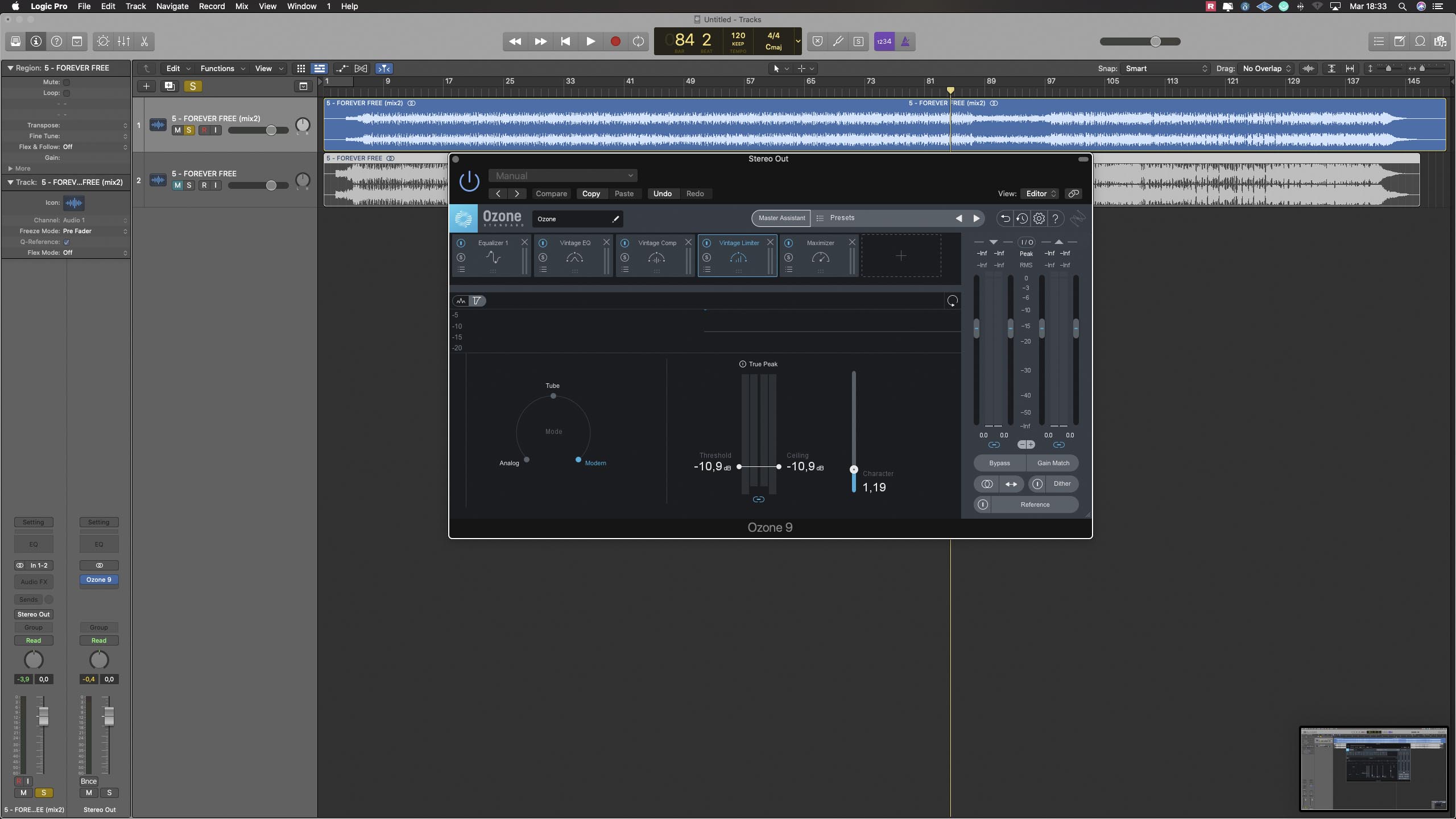
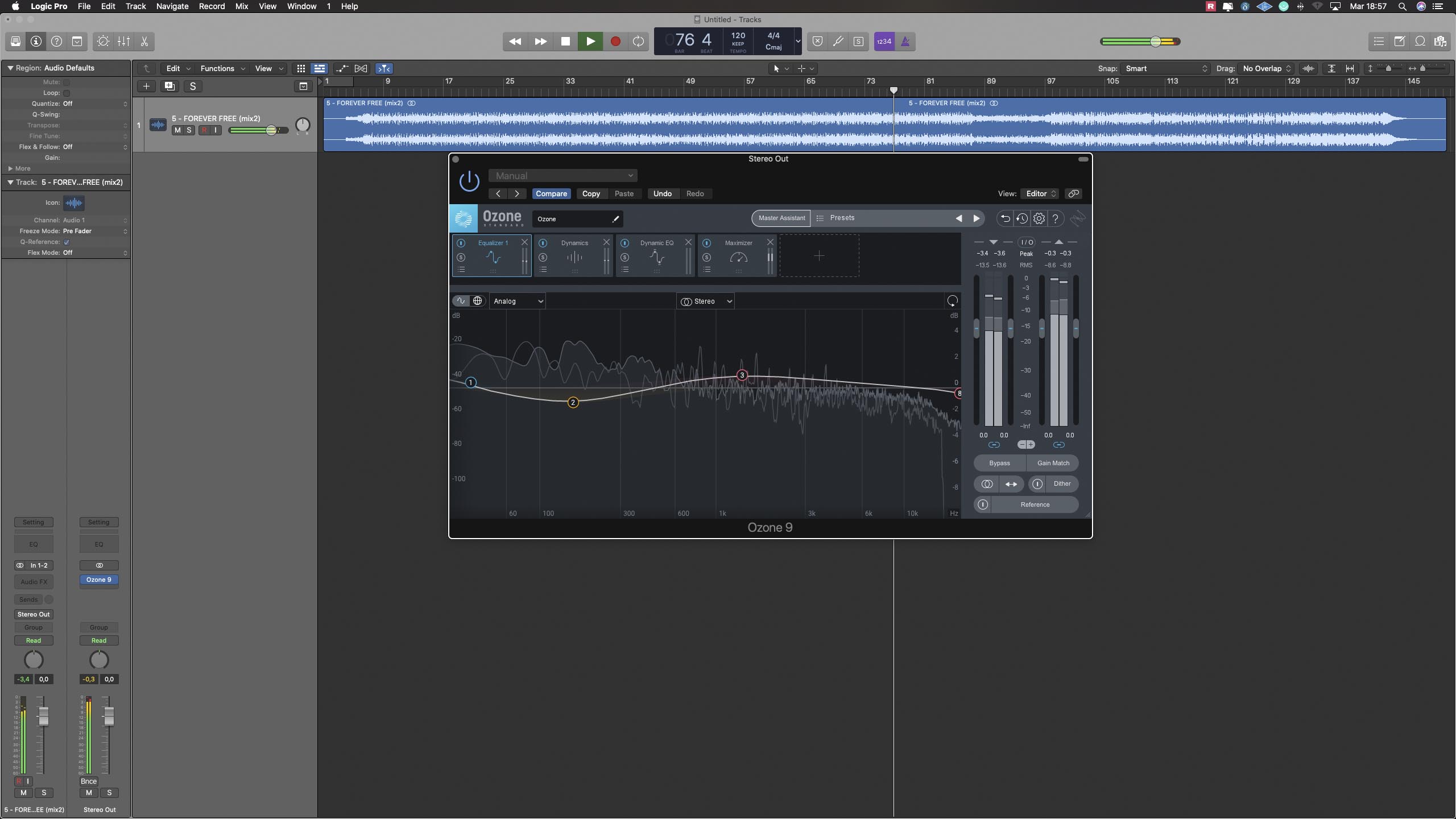
Just for fun, we used it instead We are the world (also a choral piece that can be used as a reference) as a track to use the match eq function. Given the goodness of the original, we do not decide on the result, but we upload the resultant to listen to. Obviously in general, by feeding the application a right reference master, the result should be closer to what is then the real result, compared to the simple analysis carried out by Izotope on the mix. In Fig. 4-5-6 you can see the processing carried out using the match eq. NDR As a starting point for both processing, we used the medium mode, therefore a cross between low and high.

Conclusions
As you can imagine, to analyze in detail a software like Ozone, you would need manuals rather than articles, also because everyone has their own vision on how to create the best mastering chain. Currently, Ozone remains the most complete and above all accessible mastering suite on the market. Unlike previous versions, now even on the standard version it is possible to use all the slots available to insert the various modules, with the only limitation being able to use a single instance of the same plugin, except for the eq which is available in two separate modules (honestly difficult that you could go to use even more complex chains, in that case the problem should perhaps be looked for before mastering ...). CPU usage is slightly reduced compared to version 8, but loading times are significantly faster and the meters are smoother and more detailed.
Track used Andrea Barone - Forever Free -